A regular home inkjet printer can print on canvas paper or some lightweight coated canvas materials, provided it supports the required media thickness and paper-feeding requirements. Most basic home all-in-one printers are better suited to canvas paper, while genuine coated fabric canvas usually requires an inkjet printer with appropriate media-handling capabilities. Some models feature a straighter paper path or dedicated thick-media settings to accommodate heavier materials.
Standard laser printers are generally not suitable for canvas that has not been tested for laser compatibility, as the paper-feeding mechanism and high-temperature fusing process may not be compatible with the canvas material or its coating.
The final print quality depends not only on the printer but also on the canvas material, thickness, coating, ink type, and any protective treatment applied after printing.
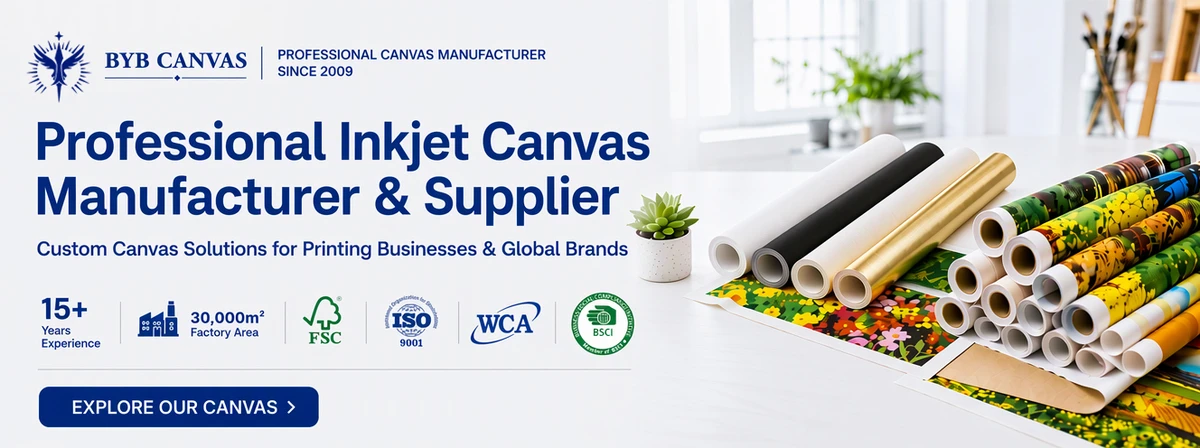
First, Understand the Two Types of Materials Called Canvas
Before answering this question, there is one important distinction that is often overlooked. The term “canvas” actually refers to two different types of materials, and their compatibility with regular printers varies considerably. Without understanding the difference, it is easy to reach the wrong conclusion.
The first type is canvas paper. It is essentially heavyweight paper or cardstock with a specially coated surface and a texture that resembles woven fabric. Although it has a canvas-like appearance, it still feels like thick paper. It does not have the softness or flexibility of real fabric and cannot be stretched over a wooden frame like fabric canvas.
The second type is inkjet canvas, which is a genuine fabric material, usually woven from cotton, polyester, or a cotton-polyester blend. Its surface is treated with a specially formulated inkjet coating. It has the texture and flexibility of real fabric and can be stretched over wooden stretcher bars. It is commonly used for canvas photo prints and decorative wall art.
| Comparison | Canvas Paper | Genuine Inkjet Canvas |
|---|---|---|
| Material | Coated heavyweight paper or cardstock | Fabric with an inkjet coating |
| Texture | Firm, similar to thick paper | Soft, with a genuine fabric texture |
| Printer Compatibility | Generally easier to use, but paper thickness must still be checked | Requires a printer that supports the material’s thickness and feeding method |
| Can It Be Stretched Over a Frame? | No | Yes |
| Common Applications | Framed prints, scrapbooking, cards | Canvas photo prints, wall art, art reproductions |
For most people experimenting with printing at home, canvas paper is usually the easier option. It can often be printed using a regular printer without additional equipment and produces artwork with a canvas-like texture.
However, if you want to print directly onto genuine fabric canvas to create canvas photo prints or gallery-style wall art, you need to pay closer attention to the printer’s media-handling capabilities and the compatibility between the canvas coating and the ink.
Why Can’t Laser Printers Print on Canvas?
Many home and office environments use laser all-in-one printers, so it may seem natural to try printing canvas with one. In reality, standard laser printers are generally not suitable for canvas, especially fabric canvas.
Laser printers work by using toner powder to form an image, which is then bonded to the paper through heat and pressure in the fuser unit. This process works well with ordinary paper, but printing on canvas can create two problems.
1. Paper Feeding Can Be Difficult
Fabric canvas is usually thicker than standard paper and may not be as flat or rigid. Some canvas materials are also relatively flexible. When passing through the printer’s internal rollers and curved paper path, they may cause paper jams or feeding problems.
2. High Temperatures May Damage the Canvas Surface
Laser printers use heat and pressure to fuse toner onto the material. However, the specialized coating and base material of canvas may not withstand this process. Canvas that has not been tested for laser printing compatibility may experience coating deformation, wrinkles, or abnormal print results.
Therefore, the issue is not simply whether toner can adhere to the canvas surface. More importantly, the material must be able to pass through the printer properly, and its surface coating must withstand the high-temperature fusing process.
Do not assume that canvas is compatible with a laser printer. If the product is labeled Inkjet Printable Canvas, it should be used with a compatible inkjet printer rather than inserted directly into a standard laser printer. If you only have a laser printer at home, it is best not to experiment with fabric canvas directly.
What Kind of Home Inkjet Printer Is Suitable?
Not all home inkjet printers are suitable for printing on canvas. Canvas paper uses a paper-based material, while genuine inkjet canvas is usually fabric with a specialized inkjet coating. These two materials have different printing requirements.
If you want to print canvas at home, focus on the following two factors.
1. Check the Media Thickness and Printer Handling Capabilities
Inkjet canvas is usually thicker than ordinary printing paper, and different materials vary in thickness and stiffness. When choosing a printer, check whether it can reliably handle thicker specialty media rather than simply whether it supports standard paper and photo paper.
GSM (grams per square meter) measures the weight of a material per unit area. It does not directly indicate its thickness. Therefore, the actual material thickness is often a more useful reference when determining whether canvas can feed through a printer properly.
Some photo-quality inkjet printers feature dedicated single-sheet feed paths or thick-media settings that make it easier to handle specialty materials.
2. Check the Print Size and Ink Compatibility
Most standard home printers support a maximum paper size of A4 or A3. Some desktop photo printers can handle A3+ media (approximately 13 × 19 inches). If you need to print larger canvas pieces or roll materials, you will need to consider a professional wide-format inkjet printer.
In addition, the printer’s ink must be compatible with the canvas’s inkjet coating to achieve good color reproduction and ink adhesion.
How Different Printers Handle Canvas
| Printer Type | Canvas Paper | Genuine Inkjet Canvas |
|---|---|---|
| Basic Home Inkjet All-in-One Printer | Depends on paper thickness | Generally not recommended |
| Desktop Photo Inkjet Printer | Usually suitable | Supported by some models |
| Professional Wide-Format Inkjet Printer | Suitable | Supported by some models |
| Standard Laser Printer | Depends on whether the paper is laser-compatible | Not suitable for inkjet-coated canvas |
If you only need to print small pieces of canvas paper, a regular home inkjet printer may be sufficient.
If you want to print on genuine inkjet canvas, prioritize a photo-quality inkjet printer that explicitly supports canvas media and can handle the material’s thickness.
For larger prints or canvas rolls, choose a wide-format inkjet printer with the appropriate media-handling capabilities.
How to Choose the Right Canvas Material
After choosing a printer, the canvas material, surface texture, and inkjet coating will also affect the final print quality.
The three most common types of inkjet canvas are cotton-polyester blend, 100% cotton, and 100% polyester. Each has its own characteristics and applications.
| Material | Surface Characteristics | Common Applications |
|---|---|---|
| Cotton-Polyester Blend | Combines the natural texture of cotton with the stability of polyester, offering a balanced overall performance | Home decor prints, photographic canvas, commercial wall art |
| 100% Cotton | Features a natural cotton texture that more closely resembles traditional artist canvas | Art reproductions, premium decorative prints |
| 100% Polyester | Generally has a more uniform surface and fabric structure, with good dimensional stability | Photographic prints, commercial wall art, high-volume printing |
Check the Compatibility Between Ink and Canvas Coating
Another important factor is compatibility between the ink and the canvas coating.
Inkjet canvas usually has a specially formulated surface coating, and different coatings may be designed for different ink types. Some products support both water-based pigment and dye inks, while others are suitable only for specific ink systems.
Therefore, you cannot determine which ink to use simply by checking whether the canvas is made of cotton or polyester.
In general, pigment inks offer better light resistance and long-term image stability, making them suitable for art reproductions and prints intended for long-term display.
Dye inks typically produce more vivid colors and are suitable for everyday photo printing and decorative prints.
Step-by-Step: How to Print on Canvas at Home
Printing on canvas at home is not particularly complicated. Once you have the right image and materials and configure your printer correctly, you are ready to start.
Step 1: Prepare Your Image
Choose an original image with sufficient resolution and adjust its resolution according to the final print size.
A resolution of 300 DPI is commonly used as a reference for high-quality printing, although the actual requirement also depends on the image dimensions and viewing distance.
If you plan to stretch the canvas over wooden stretcher bars later, remember to leave extra material around all four edges for wrapping.
The amount of extra canvas needed depends on the stretcher bar depth and wrapping method. Keep faces and other important details away from the edges so they are not folded around the sides of the frame.
Step 2: Check the Canvas Condition
Before printing, check that the canvas is flat and free from curls, creases, or surface damage.
Keep the material dry and clean. Avoid touching the inkjet-coated surface directly with your fingers, as fingerprints and oil can affect print quality.
Step 3: Load the Canvas
Load the canvas according to your printer’s recommended feeding method.
Make sure you identify the printable side and the reverse side, and check the correct loading orientation for your device.
For single-sheet printing, keep the material as flat as possible and align its edges properly to prevent skewed feeding.
Step 4: Adjust the Print Settings
In your printer driver, select a media type that closely matches the canvas, such as Canvas, Matte Paper, or Heavyweight Fine Art Paper. Adjust the print quality and other relevant settings according to the material.
If your canvas supplier provides a matching ICC color profile, you can install and select it to improve color reproduction.
Using print settings that match the canvas coating helps produce clearer and more consistent results.
Step 5: Allow the Print to Dry Completely
After printing, carefully remove the canvas and place it on a clean, flat surface to air-dry naturally.
Do not touch, wipe, or stack the printed surface immediately.
The drying time depends on the ink type, coating, and environmental conditions. Wait until the surface is completely dry before trimming, stretching, or carrying out any other finishing work.
Common Printing Problems and How to Fix Them
Even when the printer and canvas are generally compatible, you may still encounter some problems during your first printing attempt. Here are several common issues and their possible solutions.
| Problem | Possible Cause | Recommended Solution |
|---|---|---|
| Repeated Paper Jams or Skewed Feeding | The canvas exceeds the printer’s supported specifications, the material is curled, or it has been loaded incorrectly | Check whether the material meets the printer’s specifications. Make sure the canvas is flat and loaded correctly. If necessary, print one sheet at a time. |
| White Scratches or Scuff Marks on the Print | The canvas surface is rubbing against internal printer components, or the material surface is uneven | Check whether the canvas is curled and confirm that the media type and thick-paper settings are correct. If the problem continues, check whether the printer supports the material. |
| Colors Look Noticeably Dark or Gray | The selected media settings are incorrect, or the ink and canvas coating produce different color results | Select the appropriate media type and print quality settings. If a matching ICC profile is available, try using it. |
| Canvas Curls After Printing | The material was already curled or has been affected by changes in temperature or humidity | Flatten the canvas before printing. Avoid damp or heavily curled materials and store the canvas properly. |
| Images Look Blurry | The original image has insufficient resolution or has been compressed multiple times | Use a high-quality original image and prepare the file according to the final print dimensions. |
One Final Step After Printing
Finishing the print does not necessarily mean the artwork is ready for display.
The ink layer on inkjet canvas may be affected by moisture, friction, and light exposure. For prints intended for long-term display or framing, appropriate surface protection can help improve durability.
Apply a Protective Coating or Varnish
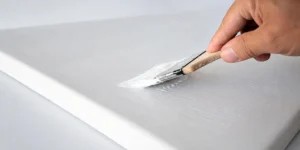
For inkjet canvas that requires additional protection, consider using a protective coating or varnish specifically designed for inkjet canvas.
Depending on the formulation, these products can improve water resistance, abrasion resistance, and overall surface protection. They are also available in different finishes, including matte, satin, and gloss.
Important: Do not apply ordinary spray paint or untested varnishes directly to your canvas. The protective product must be compatible with both the canvas coating and the ink used. Allow the print to dry completely before applying any protective treatment. Follow the product manufacturer’s instructions and, ideally, test the product on a small sample before treating the entire artwork.
Stretch the Canvas Over Wooden Stretcher Bars
If you have printed on genuine fabric canvas, you can also stretch it over wooden stretcher bars to create ready-to-hang artwork.
A common method is to begin fastening the canvas at the midpoint of each side, gradually working toward the corners while maintaining even tension. Finish by securing the four corners.
Some stretcher bars come with small wooden wedges that can be used to adjust canvas tension if the material becomes loose over time.
If you are using canvas paper, however, it is not suitable for stretching like fabric. Instead, you can place it directly into a picture frame or mount it onto an appropriate rigid backing board for display.
When Is a Home Printer No Longer Enough?
A desktop home inkjet printer is suitable for occasionally printing a few A4, A3, or A3+ pieces for personal projects, home decor, or gifts.
However, if you have any of the following requirements, a professional wide-format printer or an external printing service may be a better choice.
1. You Need Larger Print Sizes
Desktop printers have limited maximum print widths. If you want to produce large wall art or print wide-format and roll canvas materials, you will need a wide-format inkjet printer that supports the required dimensions and media.
2. You Need More Consistent, High-Quality Art Prints
If you plan to produce art reproductions or sell premium canvas prints, professional printing equipment typically offers more advanced pigment ink systems, media configurations, and color management options. These features help improve color consistency across different production batches.
3. You Need to Print in Larger Quantities
If you only print one or two pieces occasionally, purchasing canvas, repeatedly testing printer settings, and finishing the prints yourself may not be cost-effective.
You can compare the pricing and quality of local fine art printing studios or online print-on-demand services before deciding whether to outsource production.
For personal creative projects and small-format prints, a home inkjet printer remains a convenient option. However, as your requirements for print size, output quality, or production volume increase, professional equipment or specialized printing services will generally be more suitable.